A Teachers Pay Teachers alternative for the page you can't find
When no TPT listing fits your lesson, describe the worksheet, anchor chart or picture cards and make your own.
Make a lesson visualTeachFigs is an AI alternative to Teachers Pay Teachers (TPT) that lets teachers create custom printable worksheets with matching answer keys, anchor charts, graphic organizers, picture cards, and coloring pages from a plain-text description — instead of buying ready-made listings. It is not a marketplace, so it helps most when no listing fits your exact lesson, word list, or students' grade, and it requires no student accounts or student data.
TPT describes itself as the world's largest marketplace of PreK-12 resources, made by a community of educators. Each seller sets the price of a resource, and its free filter lists more than 430,000 free resources. Buying a resource buys a license: an Individual License is for one teacher, and a colleague needs a license of their own. Schools that use TPT for Schools can buy Classroom Licenses that can be moved to a new teacher. TPT is a good choice when another teacher has already made the resource you need.
With TeachFigs you write the request in a sentence or two: "A Story Elements anchor chart with characters, setting, problem and solution." "Six picture cards for the letter B." "A grade 2 worksheet on the parts of a map." For a worksheet, choose an age range or a US grade from Pre-K through 12th grade and a challenge level (Support, Standard, or Stretch), and download one letter-size PDF with the student pages first and the answer keys after. Single visuals export as PNG, JPEG, WebP (1K, 2K, or 4K), auto-traced SVG, or 300 DPI upscaled PNG. The examples below were made this way.
Many teachers will use both. Check every page before you hand it out: image models can misspell a word, miscount items, or write a key that does not match the printed question. Change the description and make it again if something is wrong.
Teachers Pay Teachers details are as of November 16, 2026 (sources below); terms and prices may change. TeachFigs is not affiliated with Teachers Pay Teachers or IXL Learning. Generated examples are drafts; review every label, answer and fact before classroom use.
| Feature | TeachFigs | Teachers Pay Teachers |
|---|---|---|
| What you get | A new worksheet, chart, organizer, card sheet or picture made from your description | Ready-made resources from teacher-sellers; TPT counts 7M+ teacher-created lessons |
| Cost | 10 free credits once at signup, then Starter at $8 a month for 30 credits | Each seller sets a resource's price; 430,000+ resources are listed as free |
| Fit to your lesson | Your topic, your words, a grade from Pre-K to 12th, and a challenge level | Search and filter by grade, subject and format |
| Formats & export | Letter-size PDF for worksheets (with answer keys) and coloring pages; PNG, JPEG, WebP, auto-traced SVG, and 300 DPI PNG for visuals | Varies by seller listing (PDF, Google Slides, PowerPoint, and other formats) |
| Sharing with colleagues | You own what you make; TeachFigs terms allow personal, classroom and commercial use | An Individual License covers one teacher; colleagues need their own, unless the seller grants more rights |
Example figures
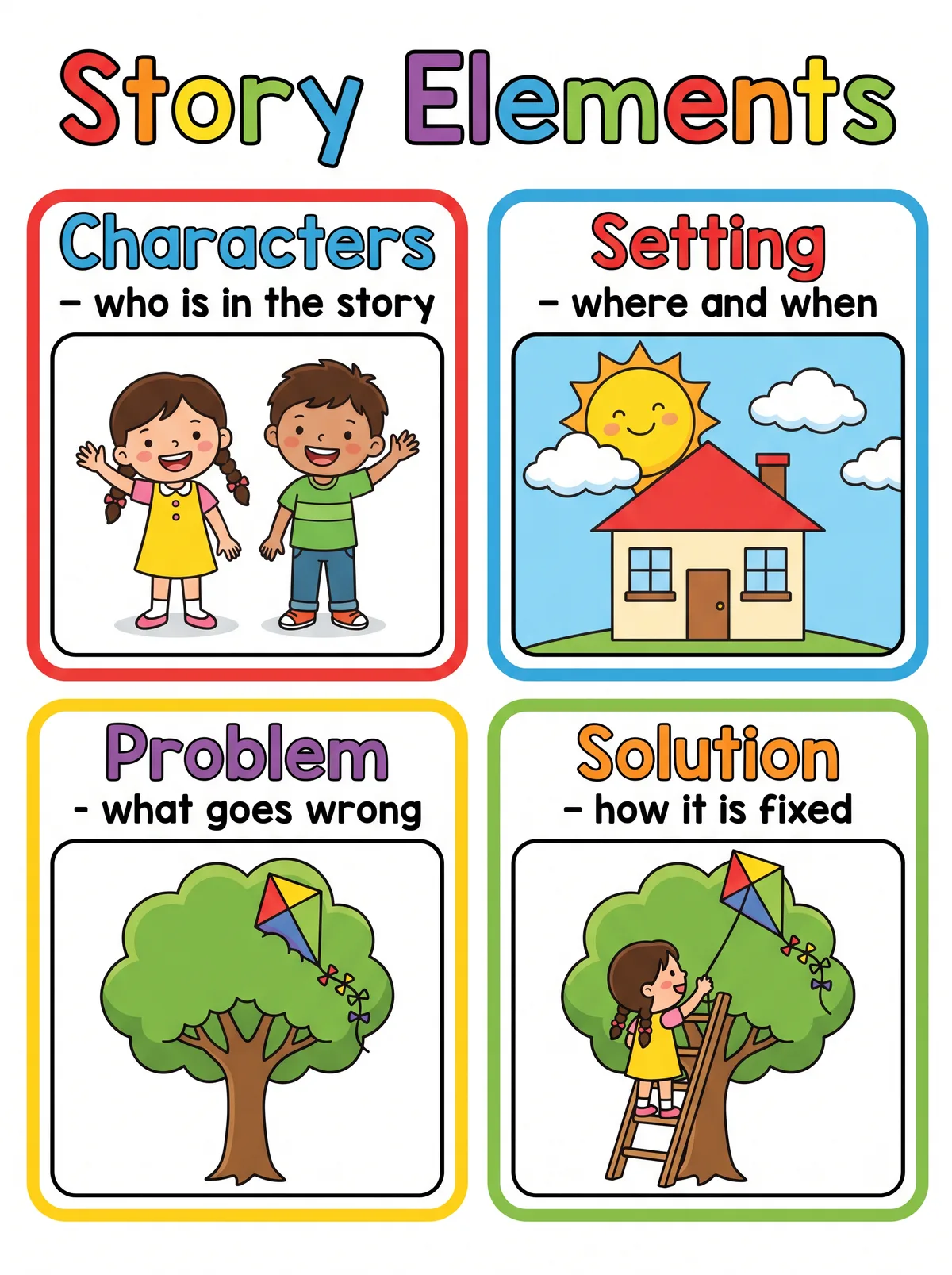
Prompt
K-12 Textbook style, 3:4. Prompt: A classroom anchor chart filling the whole image as flat digital art on a plain white background, with no tape, wall, cork board or photo edges, and every drawing complete inside its box. Headed "Story Elements" in colorful marker-style letters, with four color-coded sections: "Characters - who is in the story" with two simple children, "Setting - where and when" with a small house under a daytime sun, "Problem - what goes wrong" with a kite stuck in a whole tree, "Solution - how it is fixed" with a child on a ladder getting the kite down from a whole tree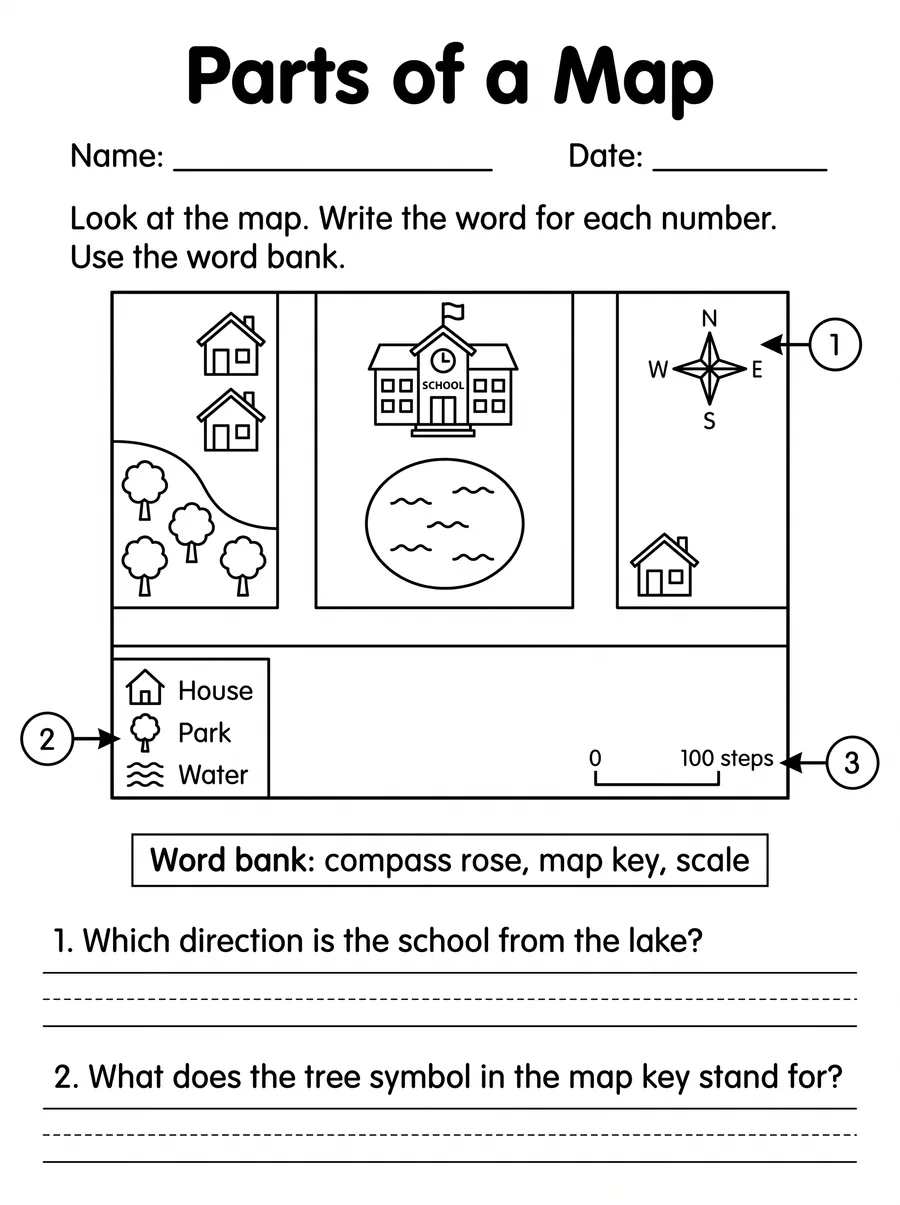
Prompt
A printable student worksheet page laid out as a flat digital document: a pure white background, crisp black text, and no paper texture, shadows or page border; portrait, with even margins. It is for young children: large, simple lettering and roomy spacing. Layout, top to bottom: 1. Title, large and bold: "Parts of a Map" 2. One line with "Name: ____________" on the left and "Date: ________" on the right 3. Instructions: "Look at the map. Write the word for each number. Use the word bank." 4. The diagram described below 5. A box containing "Word bank: compass rose, map key, scale" 6. The questions, each followed by space to answer (two or three ruled lines for a written answer): "1. Which direction is the school from the lake?" "2. What does the tree symbol in the map key stand for?" Diagram: A simple, friendly map of a small town for second graders, drawn from above in black outline. In the top half of the map: a school with a flag and two houses. In the bottom half, directly below the school: a round lake with wavy lines. On the left side: a park with round trees. One street runs across the middle of the map. In the top right corner, a compass rose showing N, E, S and W. In the bottom left corner, a small map key box with three symbols, each with a short word beside it: a house symbol and "House", a tree symbol and "Park", a wavy-lines symbol and "Water". Along the bottom right edge, a short scale bar with "0" and "100 steps". Numbered callouts: put each number in a small circle outside the drawing, with one straight arrow whose tip touches its part. Each number appears exactly once, with one arrow: 1 → compass rose; 2 → map key; 3 → scale. Show only the numbers; never write these part names on the page. Draw only what the diagram description says. Print only the quoted text and the callout numbers; do not print these notes or any other words.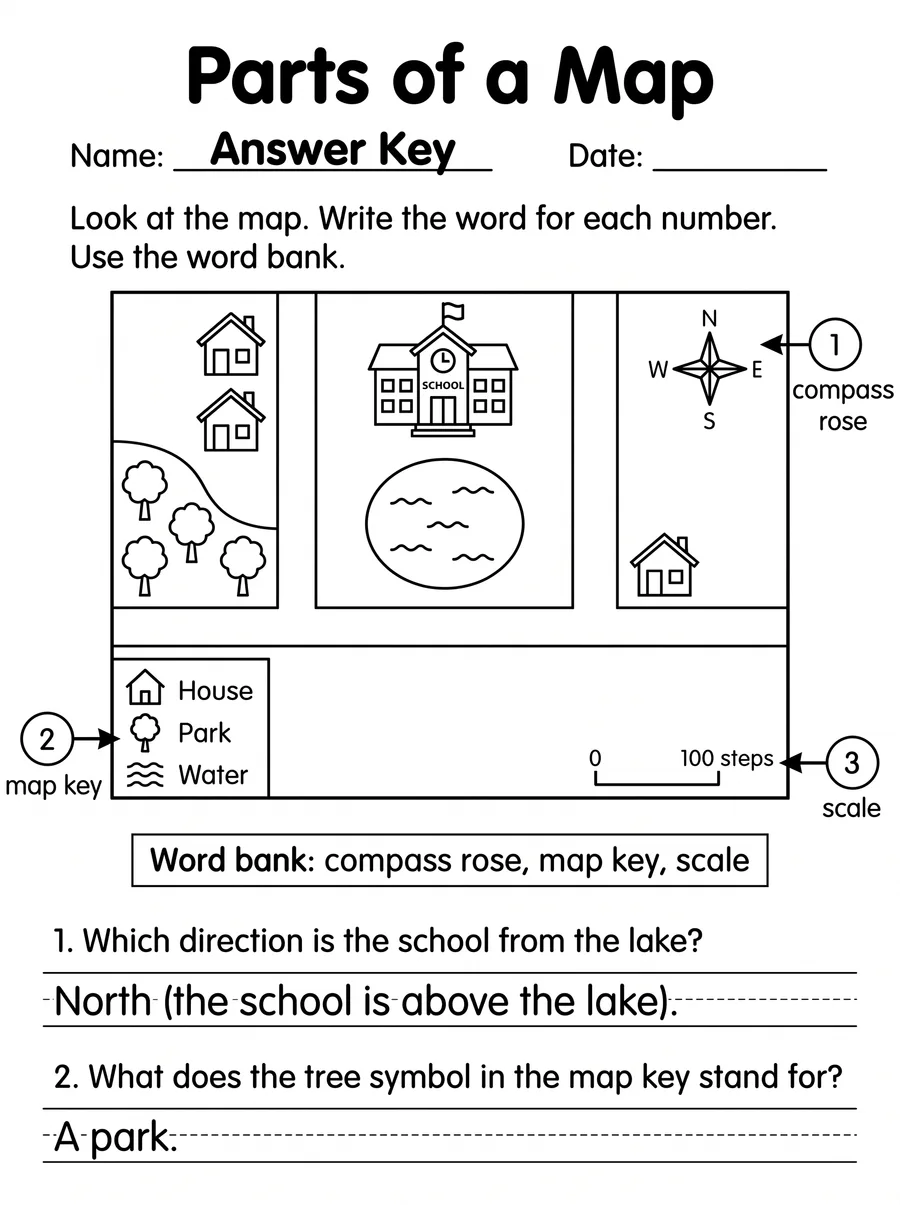
Prompt
Turn this student worksheet into its teacher answer key. Keep everything else identical: the same title, diagram, questions, numbering, lines and layout. Make only these changes: - On the blank after "Name:", write "Answer Key" in large, heavy lettering. Leave the title, the Date blank and everything else at the top exactly as they are. - Beside each numbered circle, on the side away from its arrow, write its answer: 1 → "compass rose"; 2 → "map key"; 3 → "scale". - On the ruled lines below each question, starting on the first line and leaving the question's words as printed, write its answer in clear print: 1. "North (the school is above the lake)." 2. "A park." Keep every answer inside its space. Add nothing else.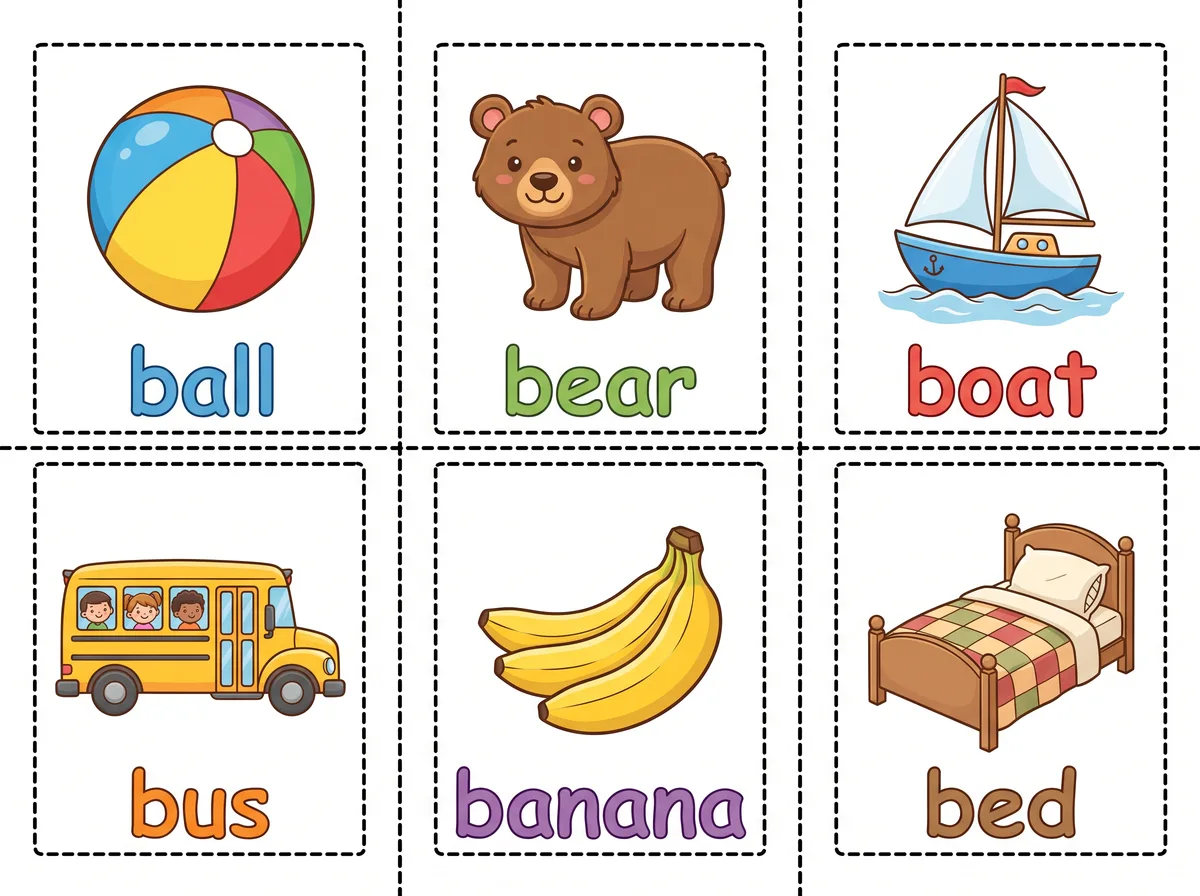
Prompt
K-12 Textbook style, 4:3. Prompt: A printable sheet of six picture vocabulary cards for the letter B, a 3 by 2 grid of cards separated by dashed cut lines, each card a simple colorful picture with its word in large lowercase print below: "ball", "bear", "boat", "bus", "banana", "bed"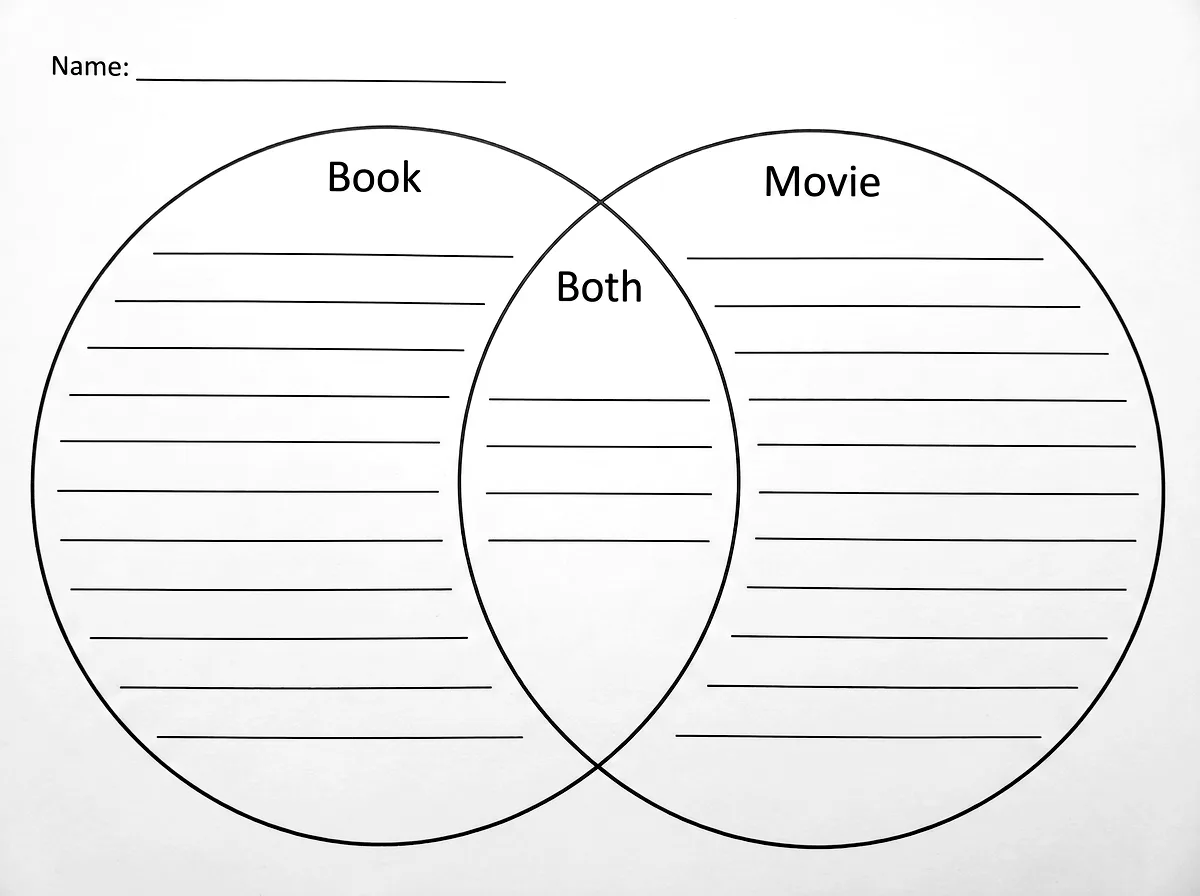
Prompt
Worksheet style, 4:3. Prompt: A blank Venn diagram graphic organizer for comparing a book and its movie: two large overlapping circles, the left circle headed "Book", the right circle headed "Movie", the overlap headed "Both", with empty writing lines inside each of the three sections and a "Name: ________" line at the top leftHow it works
Describe the page
Write the topic, what students should do, and any words that must be printed, in quotation marks.
Choose the mode and grade
Pick Worksheet for student pages with answer keys, or Figure or Coloring page for a single image. Set the age or grade.
Check it and print
Read every word and answer, make it again if anything is wrong, then download and print.
How does TeachFigs compare to Teachers Pay Teachers?
Teachers Pay Teachers (TPT) is a marketplace where teacher-sellers list ready-made lessons, units, and worksheets and set their own prices. TeachFigs is not a marketplace — you describe the exact worksheet, anchor chart, graphic organizer, picture cards, or coloring page you need and generate a custom printable draft (with a matching answer key in Worksheet mode). Many teachers use TPT for full units and TeachFigs when they need a custom page for their own word list or grade.
Is TeachFigs free to start?
Yes. New accounts get 10 credits once when they sign up, with no credit card. Each 1K or 2K image uses 1 credit and 4K uses 2; a worksheet uses 2 credits per student page and its matching answer key (4 at Ultra quality), and the creator shows the total before you make it. Starter is $8 a month for 30 credits, Classroom is $24 a month for 100 credits, and a credit pack is $4 for 15 non-expiring credits.
Can TeachFigs make a full unit or lesson plans?
No. TeachFigs makes pictures and printable pages: worksheets with answer keys, anchor charts, graphic organizers, picture cards, coloring pages, and lesson visuals. It does not write lesson plans, quizzes, or full units, so look to your curriculum or a marketplace such as TPT for those.
Do students need accounts or personal data to use TeachFigs?
No. TeachFigs never asks for student accounts, names, rosters, or student work. Describe the lesson and the age group only, and keep student names out of your description.
Can I share the pages with the teacher next door?
Yes. Under TeachFigs' terms you own the images you make, and they may be used for personal, commercial, and classroom purposes, including worksheets. On TPT, an Individual License covers one teacher, and TPT's terms say a colleague needs an additional license unless the seller grants more rights.